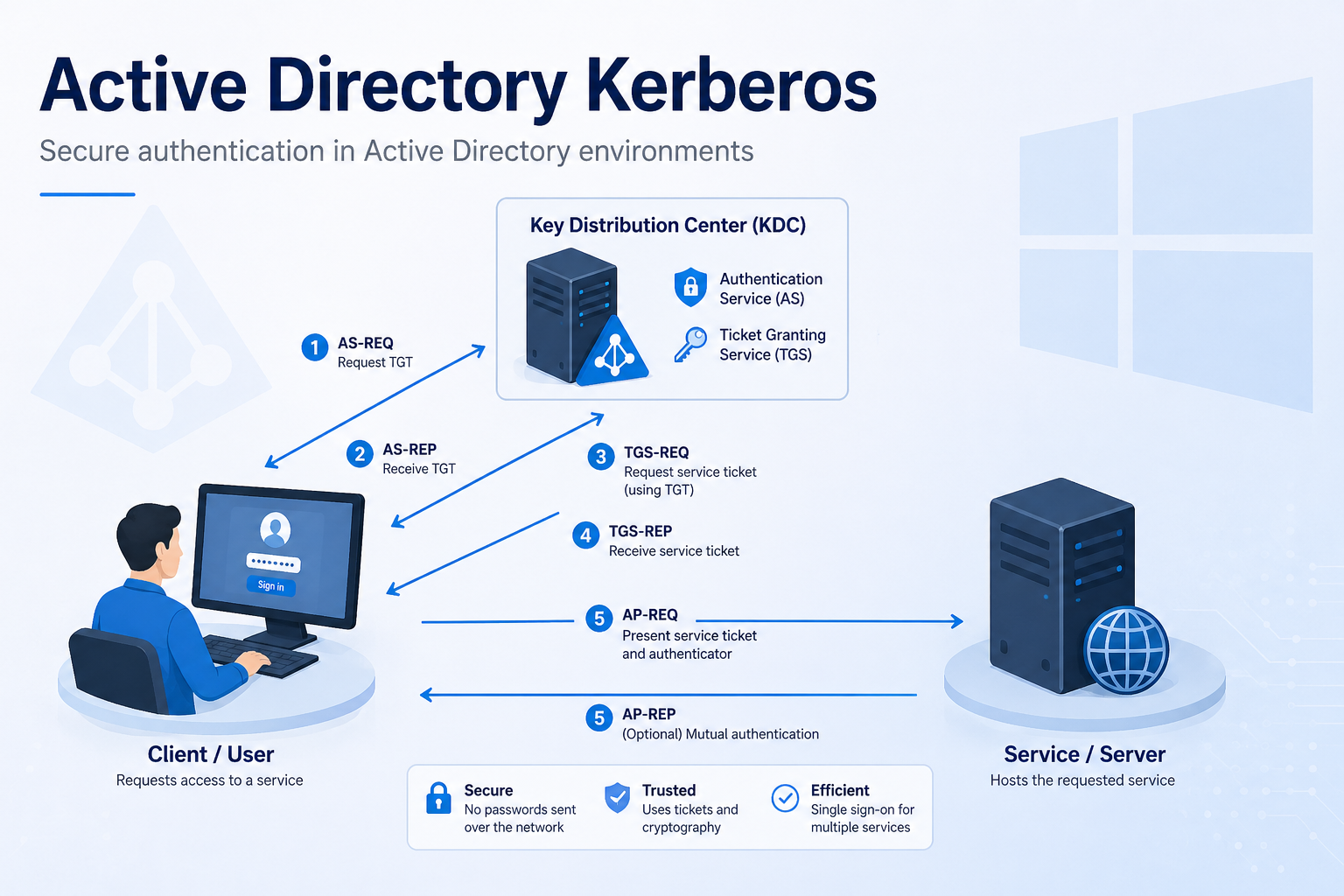
Active Directory Read Only Domain Controller (RODC) – “there are currently no logon servers available to service the logon request”

We had an issue where our RODCs suddenly stopped authenticating users and also would not allow administrators to logon via RDP or locally via the console giving this message: “there are currently no logon servers available to service the logon request” Any downstream services that were trying to authenticate via LDAP or LDAPS also failed … Read more

Continuing Analysis and Resolution of NetApp and RC4 Issues Caused by (KB5019964) For CVE-2022-37967 and KB5021131 CVE-2022-37966

A long running issue, which I covered in my previous posts: https://geekmungus.co.uk/?p=3532 and https://geekmungus.co.uk/?p=3593, this should be taken as the current status of the problem and the resolution. Issue Following the patch: KB5021131 CVE-2022-37966, which was released November 8th 2022 we’ve continued to have some issues with Kerberos authentication to servers (devices) that use (and … Read more

Further Exploration of KB5019964 Kerberos Changes

NOTE: See https://geekmungus.co.uk/?p=3619 for the most up to date article! The following is my analysis going going deeper into my recent article: https://geekmungus.co.uk/?p=3532, hopefully this will give you a bit more context and information, but also allowed me to work through the issue in my head through documentation. Synopsis The patch KB5019964 changes what the … Read more

NetApp Running SMB version 1 Impacted by Microsoft Windows (KB5019964) for CVE-2022-37967

NOTE: See https://geekmungus.co.uk/?p=3619 for the most up to date article! We’ve had an issue with the recent “Security Update for Microsoft Windows (KB5019964)” update, as by the looks of it a load of other people. In our case we are running Microsoft Windows 2016 domain controllers, the NetApp filers are pretty old we’re readying to … Read more

Finding gMSA Accounts with Custom Search in ADUC

To find gMSA (Group Managed Service) Accounts i.e. group managed accounts and if your ADUC doesn’t have this as an option you can use a “Custom Search” and click “Advanced”, then use the following string in the “Enter LDAP query:” https://www.mssqltips.com/sqlservertip/5340/using-group-managed-service-accounts-with-sql-server/