A useful visualisation on your Google Sheets is where you perhaps have a column for “Yes” or “No” or “Done” or “Not Started” and when this cell changes value, the whole row changes colour to make it obvious that action/item has been completed.
You can do this as follows:
Let’s say you have a spreadsheet like this, we want the value of “Completed” column Yes or No, to change the colour of the whole row.
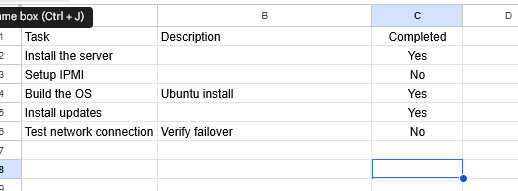
Highlight the whole set of data.

Right click, select “more cell actions” then “Conditional Formatting”.
You’ll see some default rule in there, just use this and change it to be as follows for “Yes”:
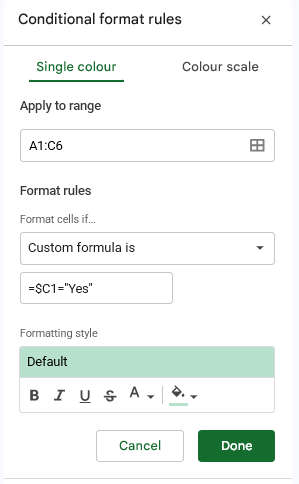
And then click “Done” and create another for “No” as follows:
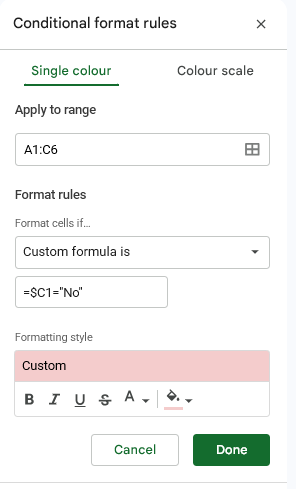
Click “Done” and and you are done, your rows should now be coloured based on the value of that column!
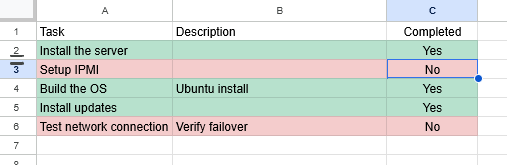
You may get a default “if cell empty” rule, you may need to manually remove this if this is the case.